Free Tools to Track Your Spending and Improve Your Financial Life: The Complete Guide
One of the biggest myths in personal finance is that managing your money well requires expensive software, a financial advisor on retainer, or some kind of specialized knowledge that most people simply don’t have. The truth is that some of the most powerful tools available for tracking spending and improving your financial life are completely free — and many of them are sitting right on your phone or computer, waiting to be used. The barrier to better financial management has never been lower, and the only thing standing between most people and genuine financial clarity is knowing which tools exist and how to use them effectively.
This article is a deep dive into the best free tools available right now for tracking spending and improving your financial life — from dedicated budgeting apps to spreadsheet templates, from bank-native features to browser extensions that save you money automatically. We’ll go beyond simply listing tools and actually explain how to use them in a way that produces real results. Because a tool you don’t use — or don’t use correctly — is just clutter on your phone.
The goal here is to help you build a complete, integrated financial management system using only free resources, one that you’ll actually stick with because it fits your real life and your real habits.
Why Free Financial Tools Are More Powerful Than Most People Realize
There’s a persistent assumption that free tools are necessarily inferior to paid ones — that if something doesn’t cost money, it must be limited in some meaningful way. In the world of personal finance software, this assumption is largely wrong. The free tier of most major budgeting apps offers more functionality than the average user will ever need.
Free spreadsheet templates from Google Sheets can be more powerful and flexible than many paid budgeting programs. And the free financial features built into most modern banking apps are sophisticated enough to replace standalone budgeting tools for many people.
The reason so many excellent free financial tools exist is partly competitive — companies offer free tiers to attract users they hope will eventually upgrade — and partly structural. Financial data aggregation technology, which allows apps to connect to your bank accounts and automatically categorize your transactions, has become dramatically cheaper and more reliable over the past decade. What once required expensive infrastructure is now widely accessible, which is why tools that track spending and improve your financial life can be offered at no cost to the end user.
What matters more than whether a tool is free or paid is whether it fits your financial personality and your specific needs. Someone who loves data and wants granular control over every dollar will have different tool needs than someone who wants a simple overview with minimal maintenance. A person managing complex finances across multiple accounts, investments, and income streams needs different features than someone with a single checking account and a straightforward monthly budget.
The best free tool is the one that matches how you actually think about money — which is why we’ll be covering a range of options across different styles and use cases.
Free Budgeting Apps That Help You Track Spending and Improve Your Financial Life
Dedicated budgeting apps represent the most structured and feature-rich category of free financial tools. These apps typically connect to your bank accounts, automatically import and categorize your transactions, and give you a real-time view of your spending across every category. The best ones also allow you to set budget limits, track progress toward financial goals, and receive alerts when you’re approaching or exceeding your spending targets.
Used consistently, a good budgeting app can genuinely transform your relationship with money.
Mint has long been one of the most popular free budgeting apps, and for good reason. It connects to virtually every major bank, credit card, loan, and investment account, giving you a consolidated view of your complete financial picture in one place. Mint automatically categorizes transactions — though you’ll want to review and correct these regularly, as automatic categorization is imperfect — and allows you to set custom budget limits for each spending category.
Its bill tracking feature sends reminders before bills are due, which helps eliminate late fees. Mint is particularly well-suited for people who want a comprehensive overview with minimal manual data entry.
YNAB (You Need A Budget) deserves special mention even though its full version is paid, because it offers a genuinely free 34-day trial that’s long enough to evaluate whether the zero-based budgeting methodology works for you — and it offers a free version for college students. YNAB’s philosophy — that every dollar should be assigned a job before it’s spent — is one of the most effective approaches to budget management, and the app’s design makes this methodology remarkably accessible. Many users report dramatic improvements in their financial awareness and spending habits within the first month of use.
PocketGuard takes a simpler approach that resonates with people who find traditional budgeting overwhelming. Its core feature — “In My Pocket” — shows you at a glance how much money you have available to spend after accounting for bills, savings contributions, and budget targets. This simplicity is genuinely useful for people who don’t want to manage dozens of spending categories but do want to avoid overspending.
The free version covers the core functionality, and the interface is clean and intuitive enough that most people can start using it productively within minutes of downloading.
Goodbudget is a digital implementation of the envelope budgeting method — a system where you allocate your income into virtual “envelopes” for different spending categories at the beginning of each month and spend only from those envelopes. Unlike most budgeting apps, Goodbudget doesn’t connect to your bank accounts — you enter transactions manually. This is a feature, not a bug, for many users: the act of manually entering every purchase creates a mindfulness around spending that automatic import can bypass.
The free version allows up to 10 envelope categories and one account, which is sufficient for most basic budgeting needs.
- Mint — best for comprehensive account aggregation and automatic transaction categorization.
- PocketGuard — best for simplicity and quick daily spending awareness.
- Goodbudget — best for the envelope method and mindful manual tracking.
- Honeydue — best for couples who want to manage finances together with shared visibility.
- Personal Capital (now Empower) — best for people who want to combine budgeting with investment tracking and net worth monitoring.
- Spendee — best for visual learners who want colorful charts and spending analytics.
Google Sheets and Spreadsheet Templates That Transform Financial Management
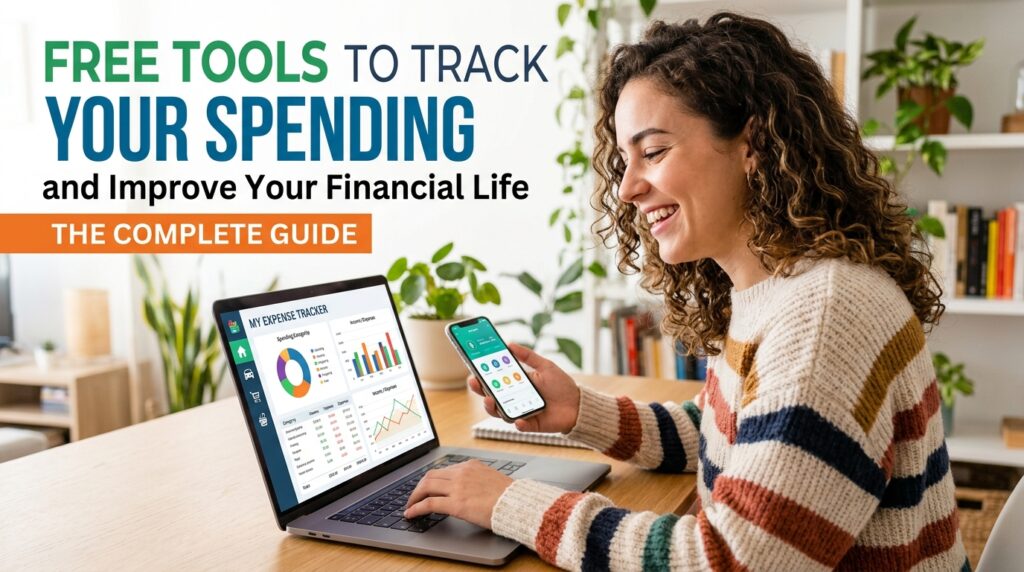
For people who want maximum flexibility and control over their financial tracking system, a well-designed spreadsheet is often the most powerful free tool available. Google Sheets, in particular, is an extraordinary financial management platform — it’s free, it works on any device, it can be shared with a partner, and its functionality is virtually unlimited for personal finance purposes. The learning curve is steeper than a dedicated app, but the payoff in customization and insight is significant for people willing to invest the time.
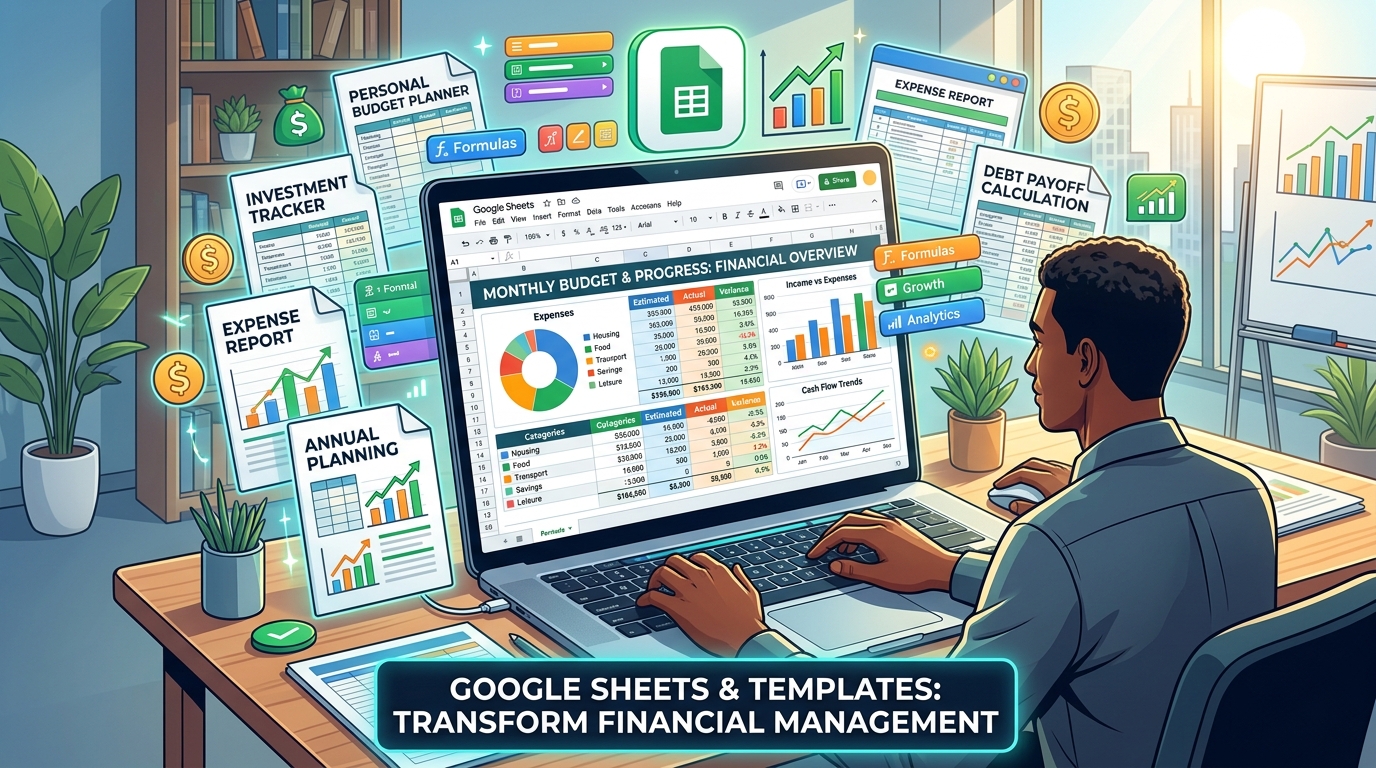
The Google Sheets template gallery includes several budgeting templates that are ready to use immediately with no setup required. The monthly budget template automatically calculates totals and variances as you enter income and expenses, giving you a clear picture of where you stand at any point in the month. For people who want something more sophisticated, a quick search for “free Google Sheets budget template” will surface dozens of community-created templates that include features like annual summaries, debt payoff trackers, savings goal progress bars, and net worth calculators — all built by people who wanted functionality that standard templates don’t provide.
Building your own spreadsheet from scratch is worth considering if you have basic spreadsheet skills, because a custom-built tool fits your specific financial situation perfectly. A simple personal finance spreadsheet needs just a few components: an income section, an expense section organized by category, a summary that calculates your monthly surplus or deficit, and a running total of your savings and debt balances. Add a separate tab for your debt inventory and another for tracking progress toward specific financial goals, and you have a complete financial management system that costs nothing and can be customized endlessly as your needs evolve.
One particularly powerful use of Google Sheets for tracking spending and improving your financial life is building a net worth tracker. Your net worth — the total of all your assets minus all your liabilities — is the single most comprehensive measure of your financial health. Tracking it monthly, even just in a simple spreadsheet, gives you a big-picture view of your financial trajectory that individual account balances and monthly budgets can’t provide.
Watching your net worth trend upward over months and years is one of the most motivating experiences in personal finance, and a Google Sheet is all you need to do it.
Bank and Credit Card Features You’re Probably Not Using
Most people significantly underestimate the financial management tools built directly into their banking and credit card apps and websites. These native features have improved dramatically in recent years, and for many people they’re sufficient to track spending and improve their financial life without any additional apps or spreadsheets. Before downloading yet another financial app, it’s worth spending 20 minutes exploring what your existing bank and credit card providers already offer you for free.
Spending categorization and analysis is now standard in most major banking apps. Banks like Chase, Bank of America, Wells Fargo, Capital One, and most major credit unions automatically categorize your transactions and show you spending breakdowns by category — dining, groceries, shopping, entertainment, and so on. Many now provide monthly or weekly spending summaries delivered by email or push notification, giving you a regular pulse check on your financial behavior without requiring any active effort on your part.
Savings tools built into banking apps deserve particular attention. Features like Bank of America’s Keep the Change program, which rounds up purchases and transfers the difference to savings, or Ally Bank’s savings buckets, which allow you to divide your savings account into named goal-specific portions, bring sophisticated savings mechanics to everyday banking at no cost. Capital One’s automatic savings rules let you set up transfers triggered by specific conditions — like transferring $5 every time you don’t make a restaurant purchase — creating a savings system that works without requiring constant willpower.
Credit card spending dashboards have also become significantly more sophisticated. Most major credit card issuers now provide detailed spending analyses that break down your charges by merchant category, compare your current month to previous months, and identify your top spending categories over any time period you select. Some, like American Express and Chase Sapphire, offer year-end spending summaries that give you an annual overview of your financial behavior — invaluable for annual budget planning and for identifying patterns you might not notice on a month-to-month basis.
Free Browser Extensions and Online Tools That Save Money Automatically
A slightly different category of free tool for tracking spending and improving your financial life focuses not on tracking what you spend but on reducing how much you spend in the first place. Browser extensions that automatically find and apply coupon codes, compare prices across retailers, and track price history can save meaningful amounts of money on purchases you were going to make anyway — effectively increasing your disposable income without requiring you to earn more or cut anything from your budget.
Honey (now owned by PayPal) is perhaps the most well-known of these extensions. When you’re checking out on an online shopping site, Honey automatically tests available coupon codes and applies the one that saves you the most money. It also has a feature called Honey Gold that earns you cashback rewards on purchases at participating retailers.
For frequent online shoppers, Honey can save a significant amount of money over the course of a year with essentially zero effort beyond installing the extension.
CamelCamelCamel is an indispensable tool for Amazon shoppers. It tracks the price history of virtually every product sold on Amazon and shows you a chart of how the price has changed over time. This is enormously useful because Amazon prices fluctuate constantly, and what appears to be a sale price is often not actually lower than the item’s typical cost.
Before making any significant Amazon purchase, checking CamelCamelCamel takes 30 seconds and can tell you whether you’re getting a genuine deal or whether you should wait for the price to drop further.
Rakuten (formerly Ebates) offers cashback on purchases made through its portal at thousands of online retailers. The cashback percentages vary by retailer and promotion, but they’re real money deposited into your account quarterly. Combined with a cashback credit card, Rakuten can effectively reduce the cost of online purchases you were planning to make anyway by 3 to 10 percent or more at participating retailers.
The browser extension makes the process seamless — it notifies you when you’re on a site that offers Rakuten cashback and activates it with a single click.
- Honey — automatic coupon code testing and cashback rewards at online retailers.
- Rakuten — cashback on purchases at thousands of online stores, paid quarterly.
- CamelCamelCamel — Amazon price history tracker to ensure you’re getting genuine deals.
- Capital One Shopping — price comparison and coupon finding across multiple retailers.
- Ibotta — cashback on grocery and everyday purchases, both online and in-store.
- Fetch Rewards — points for scanning grocery receipts, redeemable for gift cards.
- GasBuddy — finds the lowest gas prices near you, useful for reducing a significant recurring expense.
Free Investment and Net Worth Tracking Tools for Long-Term Financial Growth
Budgeting and expense tracking address the day-to-day dimension of tracking spending and improving your financial life, but long-term financial health also requires attention to savings, investments, and overall net worth. Fortunately, there are excellent free tools for this dimension of financial management as well — tools that bring investment tracking, retirement planning, and net worth monitoring to anyone with an internet connection.
Personal Capital, recently rebranded as Empower, is the gold standard of free investment and net worth tracking. It connects to your bank accounts, investment accounts, retirement accounts, and loans to give you a comprehensive picture of your complete financial life — not just your spending, but your assets, liabilities, investment performance, and retirement readiness. Its retirement planner tool, which projects whether your current savings rate will support your retirement goals, is genuinely sophisticated and would cost money to access through most financial planning services.
The free version is comprehensive enough for the vast majority of individual investors.
NerdWallet offers a free financial dashboard that tracks your credit score, monitors your accounts for unusual activity, and provides personalized recommendations for financial products that might improve your situation — better savings rates, lower-interest credit cards, and so on. While some of these recommendations are influenced by affiliate relationships, the core tracking and credit monitoring features are genuinely useful and provided at no cost. For people who want a single platform that covers credit monitoring, account aggregation, and financial product comparison, NerdWallet’s dashboard is worth exploring.
For retirement-specific planning, the Social Security Administration’s online tools at ssa.gov allow you to see your projected Social Security benefit at different retirement ages based on your actual earnings history — information that’s essential for retirement planning but that many people never access. The Department of Labor’s savings fitness calculator and various free retirement calculators at sites like Bankrate and Investor.
gov can help you model different retirement scenarios and understand how changes in your savings rate, retirement age, or investment returns affect your projected financial security.
Building Your Complete Free Financial Management System
The most effective approach to using free tools for tracking spending and improving your financial life is not to use every tool available, but to build a simple, integrated system using two or three complementary tools that cover different aspects of your financial life without overlap or redundancy. Too many tools creates its own kind of chaos — you end up with financial data scattered across multiple platforms, spend time maintaining systems instead of acting on insights, and eventually abandon everything because it’s become too complex to sustain.
A simple but complete free financial management system might look like this: a budgeting app like Mint or PocketGuard for day-to-day spending tracking and budget management; a Google Sheet for monthly net worth tracking and annual financial review; your bank’s native app for savings automation and bill payment; and one or two browser extensions like Honey and Rakuten for automatic savings on online purchases. This combination covers daily spending awareness, medium-term budgeting, long-term wealth tracking, and cost reduction — the four core dimensions of personal financial management — using only free tools that require minimal ongoing maintenance.
The key to making any financial management system work long-term is building a routine around it. The tools themselves do very little if you only check them once and then forget about them. A sustainable routine might involve a five-minute daily check of your budgeting app to review the previous day’s transactions, a 30-minute weekly review of your overall budget progress, and a monthly session to update your net worth tracker and review your financial goals.
These small, consistent time investments produce the financial awareness that leads to better decisions — which is ultimately what tracking spending and improving your financial life is all about.
It’s also worth remembering that the best financial management system is one that you’ll actually use. If you find manual transaction entry in Goodbudget more mindful and effective than automatic import in Mint, use Goodbudget. If a paper notebook works better for your brain than any app, use a paper notebook.
The sophistication of your tools matters far less than the consistency with which you engage with your finances. A simple system used consistently will always outperform a sophisticated system used occasionally. Start simple, build habits, and add complexity only when you’ve genuinely outgrown your current approach.
Making Free Financial Tools Work for Couples and Families
Managing finances as a couple or family adds a layer of complexity that the right free tools can significantly simplify. When two or more people are contributing to and drawing from shared finances, visibility, communication, and alignment become as important as the tracking itself. Fortunately, several free tools are specifically designed for shared financial management, and others have features that make collaborative use straightforward.
Honeydue is designed specifically for couples and is one of the best free tools available for shared financial management. It allows partners to connect their individual accounts, choose what financial information to share with each other, track shared bills, and communicate about money within the app. Its bill-splitting and shared expense tracking features make it particularly useful for couples who maintain some financial independence while managing shared household costs.
The ability to comment on transactions — “what was this charge?” — within the app reduces the awkward money conversations that couples often avoid.
Shared Google Sheets work exceptionally well for family financial management because they can be accessed and edited by multiple people simultaneously from any device. A family budget spreadsheet shared between partners ensures that both people have full visibility into the household’s financial picture and can contribute to tracking without requiring one person to be the sole financial manager. This shared visibility is one of the most important features of a healthy household financial system — financial decisions made with full information by both partners tend to be better decisions, and financial stress is significantly reduced when both people feel equally informed and equally empowered.
For families with children old enough to start learning about money, free tools like Greenlight‘s limited free features, or simply a shared Google Sheet that tracks a child’s allowance, savings, and spending goals, can be valuable financial education tools. Teaching children to use basic financial tracking tools while they’re young — when the stakes are low and the habits are forming — is one of the highest-return investments a parent can make in their child’s future financial wellbeing. The habit of tracking spending and managing a budget, established early, tends to persist into adulthood in ways that formal financial education rarely achieves.
Ultimately, the goal of all these tools — from sophisticated budgeting apps to simple browser extensions to shared spreadsheets — is the same: to give you clearer, more accurate, more timely information about your financial life so that you can make better decisions. Tracking spending and improving your financial life is not a destination you arrive at once and then you’re done. It’s an ongoing practice, a habit of attention and intentionality that compounds over time just like interest compounds in a savings account.
The tools are there, they’re free, and they’re ready to use. The only question is which ones will work best for you — and the only way to find out is to start.
Frequently Asked Questions About Free Tools to Track Spending and Improve Your Financial Life
Are free budgeting apps safe to use with my bank account information?
Reputable budgeting apps like Mint, Personal Capital, and PocketGuard use bank-level encryption and read-only access to your accounts — meaning they can view your transaction data but cannot move money or make changes to your accounts. They connect through secure data aggregators like Plaid. That said, it’s always wise to use strong, unique passwords, enable two-factor authentication on both your banking and budgeting apps, and review the privacy policy of any app before connecting your financial accounts.
What’s the difference between Mint and Personal Capital?
Mint focuses primarily on day-to-day budgeting and expense tracking, making it ideal for people who want to manage monthly spending and set budget limits by category. Personal Capital (Empower) focuses more on investment tracking, net worth monitoring, and retirement planning, making it better suited for people who want a comprehensive view of their long-term financial health. Many financially-minded people use both — Mint for daily budgeting and Personal Capital for investment and net worth tracking.
Is a spreadsheet or a budgeting app better for tracking finances?
It depends entirely on your personality and preferences. Budgeting apps offer automation, convenience, and features that are difficult to replicate in a spreadsheet. Spreadsheets offer unlimited customization and the flexibility to build exactly the system you need.
Many people find that starting with an app is easier and then transitioning to a spreadsheet as their financial sophistication grows produces the best long-term results. Others stick with one or the other indefinitely — either approach works if used consistently.
How many financial tools should I use at once?
Two to three complementary tools is the sweet spot for most people. More than that tends to create redundancy, confusion, and the overhead of maintaining multiple systems. Choose one primary budgeting tool, one savings or investment tracker, and one or two browser extensions for purchase savings — and commit to using them consistently before adding anything else.
Simplicity and consistency beat sophistication and inconsistency every time.
Can free tools really replace a paid financial advisor?
For basic budgeting, expense tracking, and financial goal monitoring, yes — free tools are more than adequate. For complex financial situations involving significant investments, estate planning, tax optimization, business finances, or major life transitions like retirement, a qualified financial professional adds value that no app can replicate. Think of free financial tools as essential daily infrastructure, and professional financial advice as specialized expertise for specific high-stakes decisions.
What’s the first free tool I should start with if I’ve never tracked my spending before?
Start with your bank’s own app and spend 15 minutes exploring its spending analysis and categorization features. This requires no setup, no new accounts, and no learning curve — your data is already there. Once you understand your current spending patterns from your bank’s built-in tools, you’ll have a much clearer sense of whether you need additional functionality and, if so, which type of tool would be most useful for your specific situation.
Which free financial tools have made the biggest difference in your ability to track your spending and improve your financial life? Are you a dedicated budgeting app user, a spreadsheet builder, or someone who relies on your bank’s native features? Do you have a tool that didn’t make this list but deserves recognition? Share your recommendations and experiences in the comments below — the best financial tool discoveries often come from real people sharing what actually works for them.

Michael Rowan is a dedicated writer and researcher specializing in Personal Finance and Investments. With a passion for helping individuals make smarter financial decisions, he creates informative and practical content designed to simplify complex financial topics.